Author: marblism

  • The Website Redesign Survival Guide: How to Rebuild Your Site Without Losing Your Google Rankings

    The Website Redesign Survival Guide: How to Rebuild Your Site Without Losing Your Google Rankings

    Categories: Web Development, SEO Optimisation, Website Testing, Digital Transformation
    Reading time: 8 minutes

    A website redesign can improve usability, strengthen your brand and make it easier for customers to enquire. But when pages, content or URLs change, it can also affect the search visibility your business has built over time.

    The key is to treat a rebuild as more than a design project. It is also a controlled migration: understand what is working, plan what is changing, and check the technical details before and after launch. No process can guarantee that rankings will stay exactly the same, but careful preparation can reduce avoidable disruption.

    This guide sets out a practical approach for UK growing businesses planning a redesign or rebuild.

    Before the redesign: establish what you need to protect

    Start by recording a clear baseline. Without one, it is difficult to distinguish migration problems from normal changes in search demand, seasonality or website use.

    Use Google Search Console to review search clicks, impressions, queries and indexed pages. Compare those findings with analytics data and, where available, server logs. This helps identify pages that attract organic visits, generate enquiries or receive valuable links.

    Audit your existing URLs and priority pages

    Create a list of current URLs. Gather them from your XML sitemap, content management system, Search Console and website crawl. Include important images, downloadable documents and other assets if they are indexed or linked to externally.

    Mark pages that have:

    • Strong organic traffic or valuable search impressions.
    • Enquiries, sales or another important business outcome.
    • Useful links from other websites.
    • A specific service, location or audience focus.

    These pages deserve particular attention during planning. A page with modest traffic may still be strategically important if it generates high-quality leads.

    A business owner and SEO consultant auditing website pages and search performance

    Record content, metadata and technical settings

    For each priority page, note its purpose and key elements: page title, meta description, heading structure, main copy, canonical URL, structured data and relevant internal links. Preserve these where they remain accurate and useful; a redesign is also an opportunity to improve weak or outdated content.

    Record technical settings as well. Check which pages are indexable, how the site handles trailing slashes and URL case, and whether it uses language or regional annotations. Take a backup of the current site and keep a copy of your original sitemap and URL inventory.

    Google’s site move guidance recommends identifying important URLs through sources such as sitemaps, analytics and links data. That is a sound starting point even when you are changing the design or platform without changing domains.

    During the build: keep the new site search-ready

    A rebuild is a good time to improve navigation, page speed and mobile usability. It is not a reason to discard useful content or change URL structures without a clear benefit.

    Design the URL structure before launch

    If URLs will change, make a mapping of every old address to its closest relevant new destination. For example, an old service page should normally redirect to the new version of that service page, not simply to the homepage.

    Where practical, keep existing URLs. Where a change is justified, use a permanent server-side redirect, usually a 301 or 308. Avoid redirect chains: each old URL should lead directly to its final destination. Google explains how it treats redirects in Search.

    Some pages may be merged or retired. Decide deliberately what happens to each one. If there is no relevant replacement, do not redirect it to an unrelated page just to avoid a 404. The destination should genuinely serve the same user need.

    A developer mapping existing website URLs to relevant new pages with direct redirects

    Preserve useful signals while improving the experience

    A strong, seo friendly website design brings together clear information architecture, responsive layouts, accessible interactions and technically sound pages. Make sure important content is available on mobile as well as desktop, since Google primarily uses the mobile version of content for indexing.

    During development:

    • Keep page titles, headings and core content aligned with the page’s search intent.
    • Use descriptive internal links that point directly to the new URLs.
    • Ensure new pages have appropriate self-referencing canonical tags.
    • Create a production sitemap containing canonical, indexable URLs.
    • Check that important images and downloadable resources remain available.
    • Test mobile layouts, performance and key user journeys.

    Do not allow a staging setting to reach production by accident. Development sites are often protected by a noindex directive or robots.txt rule. Before launch, confirm that the public site does not block the pages you want search engines to crawl.

    A responsive design should also work for real users, not just score well in a test. Review the mobile menu, forms, navigation, content legibility and loading behaviour on common devices. Google’s mobile-first indexing guidance explains why equivalent mobile content matters.

    Launch day: follow a controlled checklist

    Before switching traffic, test the finished site in a staging environment. Crawl it to find broken internal links, missing titles, accidental duplicate pages and incorrect canonical tags. Test representative old URLs against the redirect map, and, for larger sites, check the full list in bulk.

    At launch, verify that:

    1. Redirects work. Changed URLs point to the correct final pages with permanent server-side redirects.
    2. New pages load successfully. Important pages return a 200 status and display the intended content.
    3. Indexing is permitted. Remove staging-only noindex tags and crawling blocks.
    4. Canonical tags are correct. They refer to the preferred new URL, not the old page or a staging address.
    5. Internal links and the sitemap are updated. They point to the new, canonical URLs.
    6. Tracking still works. Check analytics and enquiry submissions, not just the visual presentation.

    Submit the new sitemap through Search Console. If you have changed domains, verify both old and new properties and follow Google’s domain-move instructions, including the Change of Address tool where applicable. For an ordinary redesign on the same domain, that tool is not required.

    Keep your redirect map and retain redirects for the long term. Google advises keeping them for at least a year; maintaining them longer can also help people who still follow old bookmarks or external links.

    After launch: monitor crawling, indexing and performance

    Search engines need time to recrawl and process changed pages. Some movement in search results can occur during a significant site change, so do not assume every short-term fluctuation signals a permanent problem. Monitor evidence and investigate technical issues promptly.

    A developer checking a newly launched responsive website, page speed and search indexing

    In the first days and weeks, check Search Console’s Page Indexing, Sitemaps and Performance reports. Review whether important new URLs are being discovered and indexed, and whether old URLs are redirecting as expected. Use URL Inspection to investigate priority pages or request indexing selectively; a sitemap is more suitable for helping Google discover many pages.

    Also review:

    • Crawl errors: Look for unexpected 404s, server errors, redirect failures and pages blocked from crawling.
    • Indexing issues: Check for unintended noindex directives, incorrect canonicals or duplicate URL versions.
    • Redirect coverage: Confirm old URLs have relevant destinations and do not form chains or loops.
    • Page speed and usability: Test key templates using PageSpeed Insights and check the site on mobile devices.
    • Business outcomes: Make sure forms, calls to action, analytics and conversion tracking continue to work.

    If organic traffic drops, compare equivalent periods and look at affected pages, not just the site-wide total. Check technical reports, analytics implementation, server availability and changes to content before drawing conclusions. Google’s traffic-drop troubleshooting guide offers a structured way to investigate.

    A redesign should protect value while creating room to improve

    The safest website rebuilds make changes with a clear purpose. Audit first, preserve what serves users and the business, map URLs carefully, and test the finished site before and after launch. These steps help reduce preventable SEO problems while allowing you to improve the experience.

    TeqFlo builds bespoke, responsive, SEO-friendly websites for businesses that need a site designed around their goals. Our 14 years of experience in web development, software development and app development underpin a practical approach to planning, building and testing digital solutions. Explore our bespoke web development service or contact TeqFlo to discuss your next website project.

  • From Spreadsheet to Software: When Your Business Outgrows ‘Off-the-Shelf’ Tools

    From Spreadsheet to Software: When Your Business Outgrows ‘Off-the-Shelf’ Tools

    Categories: Software Development, App Development, Digital Transformation, Business Automation, Workflow Automation
    Reading Time: 9 minutes

    In the early stages of a business, the humble spreadsheet is often the unsung hero of operations. It is flexible, accessible, and virtually free. Whether you are tracking leads, managing inventory, or scheduling staff, a well-crafted Excel or Google Sheet can feel like the ultimate Swiss Army knife.

    However, as a business scales, that once-nimble spreadsheet often transforms into a digital bottleneck. What began as a convenient tool becomes a fragile web of macros, "hidden" rows, and version-control nightmares. For many operations managers and business owners, the transition from these manual processes to a more robust digital infrastructure is the most significant hurdle in the journey toward sustainable growth.

    At TeqFlo, we have spent the last 14 years in software and app development, helping growing businesses navigate this exact inflection point. Transitioning from manual workarounds to bespoke digital solutions is not just about upgrading your tech; it is about building a foundation that allows your organisation to scale without the friction of administrative decay.

    The "Spreadsheet Ceiling": Recognising the Tipping Point

    The shift from spreadsheets to custom software development rarely happens overnight. Instead, it is a gradual accumulation of "minor" frustrations that eventually coalesce into a systemic problem. If you are noticing any of the following symptoms, you have likely hit the "spreadsheet ceiling":

    1. The Version Control Crisis: "Is 'Project_Tracker_V4_FINAL_Actual_FINAL.xlsx' the most recent version?" When multiple team members are updating the same data, the risk of overwriting work or making decisions based on outdated information skyrockets.
    2. The Human Error Tax: A single typo in a formula or a misplaced decimal point can lead to catastrophic financial or operational errors. As the complexity of your data grows, the probability of these "silent" errors increases.
    3. Data Silos: Spreadsheets are notoriously difficult to integrate. If your sales data lives in one sheet, your project management in another, and your invoicing in a third, your team is likely spending hours on manual "copy-paste" tasks that provide zero value.
    4. Performance Degredation: As rows hit the thousands, spreadsheets become sluggish. Loading times increase, and the risk of the entire file crashing becomes a daily anxiety for the staff relying on it.

    Three-person digital collaboration for rocket launch

    Why 'Off-the-Shelf' Isn't Always the Answer

    When a business realises it has outgrown its manual processes, the first instinct is often to look for a ready-made SaaS (Software as a Service) solution. While these tools can be excellent for standard functions, such as accounting or basic CRM, they often present a "square peg, round hole" problem for growing businesses with unique workflows.

    The Limitations of Generic Solutions

    Off-the-shelf tools are designed for the "average" user. To stay profitable, SaaS providers build features that appeal to the widest possible audience. For a business with a proprietary process or a specific way of handling logistics, this often means:

    • Paying for "Bloat": You may only use 20% of the software's features, but you are paying for 100% of the subscription cost for every user.
    • Forced Workflow Changes: Instead of the software supporting your business, you find yourself changing your internal processes to fit the limitations of the software.
    • Integration Friction: Off-the-shelf tools often have closed ecosystems. Trying to get "Tool A" to talk to "Tool B" can lead to more manual workarounds, exactly what you were trying to escape.

    Our 14-year history in web development has shown us that for many growing organisations, a bespoke application is actually more cost-effective in the long run. By building exactly what you need, you eliminate the "subscription tax" and create a tool that serves as a competitive advantage rather than just a utility.

    The Case for Bespoke App Development

    Custom software is built around your business, not the other way around. It allows you to automate the specific, repetitive tasks that consume your team's time, freeing them to focus on higher-value activities.

    Illustration of a professional using a custom business application to streamline data and automate workflows.

    1. Centralised "Source of Truth"

    A custom web application or internal tool acts as a single source of truth. Data is entered once and reflected across all modules, from initial enquiry to final delivery. This eliminates the need for manual reconciliation and ensures that your reporting is accurate and real-time.

    2. Scalability by Design

    Unlike a spreadsheet that breaks under pressure, custom software is built on scalable architecture. Whether you have 10 users or 1,000, and whether you are processing 100 transactions or 100,000, the system is designed to handle the load. This is a core part of the digital transformation journey.

    3. Intellectual Property and Competitive Edge

    When you use a generic tool, you are using the same tech as your competitors. When you build custom software, you are creating a proprietary asset. This adds tangible value to your company and allows you to deliver a unique customer experience that cannot be easily replicated.

    Managing the Transition: From Audit to Implementation

    Moving from years of legacy spreadsheets to a custom software solution can feel daunting. However, with a structured approach, the transition is manageable and remarkably rewarding.

    Step 1: The Workflow Audit

    Before writing a single line of code, it is essential to audit your current "analogue" processes. What are the must-have data points? Where do the bottlenecks occur? At TeqFlo, we use our extensive engineering background to map these requirements into a technical specification that prioritises your most critical business needs.

    Step 2: Strategic Data Migration

    You don't have to abandon your history. Data migration involves cleaning your existing spreadsheet data and mapping it to the new, structured database. This ensures that your historical insights are preserved while benefiting from the speed and security of a modern system.

    Step 3: User Adoption and Training

    The best software in the world is useless if your team refuses to use it. A key advantage of custom development is that the UI/UX can be designed to mimic the familiar logic of your current processes, significantly lowering the learning curve.

    A professional sitting at a desk using a tablet

    Looking Ahead: Automation and the Role of AI

    Once your business is operating on a solid, custom-built digital foundation, the door opens to the next level of efficiency: automation. This is where you can begin to "sprinkle" in more advanced technologies to further reduce manual labour.

    For example, once your data is structured, you can implement workflow automation that triggers emails, generates reports, or updates inventory levels automatically based on specific rules.

    You might also consider enhancing your lead generation through tools like ChatForm. Unlike generic "chatbots" that can frustrate users with circular logic, ChatForm is a rule-based conversational form. It allows you to define strict rules to guide your website visitors through enquiries one question at a time. This ensures you capture high-quality, structured data that flows directly into your new custom software, bypassing the need for manual entry entirely.

    As your digital maturity grows, this foundation also makes it significantly easier to integrate AI-driven insights later down the line, allowing you to move from "analysing what happened" to "predicting what will happen."

    Conclusion: Taking the First Step

    Growth is a double-edged sword. While it brings more revenue, it also brings complexity that manual systems simply cannot handle. If your team is spending more time managing spreadsheets than they are serving customers, it is time to consider a change.

    Whether you are looking for a software developer near Maidenhead or a partner to lead your nationwide digital transformation, TeqFlo’s 14 years of experience ensures that your transition from spreadsheet to software is built on a foundation of clean code and strategic thinking.

    Ready to stop fighting your tools and start using them to scale? Contact the TeqFlo team today to discuss how bespoke development can future-proof your business operations.

  • Beyond the Template: Why Bespoke Web Design is the Secret Sauce for Maidenhead Businesses

    Beyond the Template: Why Bespoke Web Design is the Secret Sauce for Maidenhead Businesses

    Categories: Web Development, Website Design, SEO Optimisation, Conversion Optimisation, Digital Transformation
    Reading Time: 9 minutes

    For many growing businesses in Maidenhead, the journey into the digital space often begins with a template. Whether it is a drag-and-drop builder or a pre-made theme on a popular CMS, these tools offer a path of least resistance. They are quick, relatively inexpensive, and functional: at least initially.

    However, as a business scales, the limitations of these "off-the-shelf" solutions become apparent. What worked for a startup with three employees rarely suffices for an established firm looking to dominate the local market and streamline its operations. At TeqFlo, with over 14 years of expertise in web development and software engineering, we have seen first-hand how bespoke digital architecture serves as the foundation for long-term growth.

    In this article, we explore why moving beyond the template is no longer just a luxury, but a strategic necessity for businesses aiming for high-performance SEO and superior conversion rates.

    The Illusion of the "One-Size-Fits-All" Solution

    Template-based websites are designed to appeal to the widest possible audience. To achieve this, developers pack them with a vast array of features, most of which the average business will never use. This "feature bloat" leads to heavy, unoptimised code that slows down page loading times and complicates the user experience.

    In a competitive local landscape, speed is not just a technical metric; it is a business requirement. Research consistently shows that users begin to abandon a site if it takes longer than three seconds to load. For a business seeking web development near Maidenhead, a slow website means potential customers are bouncing back to search results and clicking on a competitor’s link.

    Bespoke web design flips this script. Instead of starting with a bloated framework and trying to hide what you don't need, we build from the ground up. Every line of code serves a purpose, ensuring the site is lean, fast, and purpose-built for your specific objectives.

    A professional sitting at a desk using a tablet

    SEO: Why Clean Code Wins the Search Race

    Search Engine Optimisation (SEO) is often treated as an afterthought: something to be "added" to a website after it is built via plugins. In reality, the most effective SEO is baked into the very architecture of the site.

    Technical SEO and Indexability

    Google’s algorithms are increasingly sophisticated, prioritising "Core Web Vitals": metrics that measure loading performance, interactivity, and visual stability. Templates often struggle with these metrics because of their inherent technical debt. A bespoke build allows for:

    • Semantic HTML: Using code that clearly tells search engines what each part of your content represents.
    • Asset Optimisation: Serving images in modern formats and only loading scripts when they are needed.
    • Clean URL Structures: Ensuring that your site hierarchy is logical and easy for bots to crawl.

    Local Dominance in Maidenhead

    For businesses targeting the Berkshire area, local SEO is paramount. Bespoke development allows for deeper integration of schema markup and localised content structures that go beyond a simple "Contact Us" page. When your site is built to be lightning-fast and mobile-first, Google rewards you with higher rankings, making it easier for local clients to find your services.

    Designing for Conversion, Not Just Aesthetics

    A beautiful website that doesn't convert is essentially an expensive digital brochure. Growing businesses need their digital platforms to function as active sales tools.

    Templates often force your brand into a pre-defined box. You might find yourself compromising on your user journey because the "theme" doesn't support a specific call-to-action (CTA) or a unique product configuration. Bespoke design starts with UI/UX (User Interface/User Experience) design, where we map out the customer journey before a single line of code is written.

    Designer working on mobile app interface with wireframes and gears

    By understanding exactly how your customers interact with your brand, we can design interfaces that reduce friction. Whether it's a simplified checkout process or a tailored enquiry path, custom solutions are built to guide the user toward a specific goal. This level of intentionality is what separates a generic website from a high-converting platform.

    Future-Proofing: Scalability and the AI Horizon

    One of the greatest risks of template-based systems is "technical dead-ends." As your business grows, you may want to integrate with a specific CRM, automate your inventory management, or introduce advanced client portals. Often, templates are not designed to be extensible, leaving you with a "Frankenstein" website held together by incompatible plugins.

    Built to Scale

    With TeqFlo’s 14-year background in software and app development, we build websites with the future in mind. This means using clean, modular code that can be expanded as your requirements change. You won't need to rebuild your site from scratch every three years; instead, you can layer on new functionality seamlessly.

    Integrating Automation and AI

    While we advocate for a solid web foundation first, a bespoke build is "AI-ready." When you are ready to sprinkle in intelligent automation, a custom site makes integration significantly easier.

    For instance, many of our clients start by improving their lead capture through rule-based logic. Our ChatForm product is a prime example. Unlike traditional static forms that can feel impersonal, ChatForm uses a rule-based conversational interface. You define the rules to guide users through enquiries one question at a time, creating a more engaging experience that mirrors a real conversation. Because a bespoke site gives us full control over the codebase, integrating these types of conversational tools or connecting to advanced AI automation workflows is a straightforward process rather than a technical hurdle.

    Professional developer integrating a conversational form into a bespoke website design for Maidenhead business growth.

    Security and Ownership: The Hidden Benefits

    For any professional business, security is non-negotiable. Popular template platforms and themes are frequent targets for hackers because a single vulnerability can be used to attack thousands of sites simultaneously.

    When you opt for a bespoke solution, your "attack surface" is significantly reduced. You are not reliant on third-party developers to patch security holes in their plugins. Furthermore, you own your code. You aren't tied to a specific proprietary platform's monthly fees or restrictive terms of service. This digital sovereignty is vital for businesses that view their website as a core asset.

    The ROI of Custom Development

    It is true that bespoke web design requires a higher initial investment than a DIY template. However, the Return on Investment (ROI) is found in the long-term gains:

    1. Lower Maintenance Costs: No more fighting with broken updates or plugin conflicts.
    2. Higher Conversion Rates: A site designed for your users will naturally generate more leads.
    3. Better SEO: Higher rankings lead to more organic traffic, reducing your reliance on expensive paid advertising.
    4. Operational Efficiency: Custom sites can be integrated with your internal workflows to save hours of manual data entry.

    At TeqFlo, we don't just build websites; we build digital solutions that solve business problems. Our deep-rooted experience in automated testing ensures that every custom build is robust, secure, and ready to handle the demands of a growing company.

    TeqFlo Automated Testing and Optimisation

    Conclusion: Making the Shift

    If your business has outgrown its current digital presence, it is time to look beyond the template. In the modern Maidenhead market, your website is often the first and most important touchpoint for your customers. Ensuring that it is fast, unique, and perfectly aligned with your business goals is the "secret sauce" to sustainable growth.

    A bespoke website provides the flexibility to adapt to new trends: whether that's more sophisticated SEO strategies or the eventual integration of advanced automation: without the baggage of legacy templates.

    Ready to build a digital platform that truly reflects your business? Contact the TeqFlo team today to discuss how our 14 years of engineering expertise can help you scale.

  • The Silent Revenue Killer: How Automated Testing Prevents Costly Website Downtime

    The Silent Revenue Killer: How Automated Testing Prevents Costly Website Downtime

    Categories: ["Web Development", "Software Development", "Website Testing", "Digital Transformation", "Business Automation"]
    Reading Time: 8 minutes

    For many growing businesses, the word "downtime" conjures images of a total blackout, a "404 Error" page where a thriving digital storefront used to be. While a total crash is certainly a crisis, there is a far more insidious threat lurking in the code of modern websites. It is the "silent failure."

    Imagine a scenario where your website looks perfectly fine. The homepage loads, the images are crisp, and the copy is engaging. However, a recent minor update to a third-party library has caused the "Add to Basket" button to stop functioning on specific versions of Safari. Or perhaps a CSS tweak has pushed a critical lead-generation form out of view on mobile devices.

    To the business owner, everything looks normal. To the customer, the site is broken. They don't send an email to tell you; they simply click away to a competitor. This is the silent revenue killer, and for businesses scaling their digital presence, manual checks are no longer a sufficient shield.

    The High Cost of Undetected Errors

    When a website fails to perform its core functions, the financial impact extends far beyond the immediate loss of a sale. At TeqFlo, with our 14 years of experience in web development and software app development, we have seen how technical debt and unmonitored bugs can erode even the strongest brands.

    1. Direct Revenue Loss

    If your checkout flow or enquiry form is broken, your conversion rate drops to zero. For a high-traffic site, even an hour of a malfunctioning payment gateway can equate to thousands of pounds in lost revenue.

    2. Eroded Brand Trust

    A customer’s first interaction with your brand is often your website. If that experience is riddled with bugs, broken links, overlapping text, or non-responsive buttons, it signals a lack of professionalism. Trust is hard to build and incredibly easy to lose.

    3. SEO Degradation

    Search engines like Google prioritise user experience. High bounce rates caused by functional errors can negatively impact your search rankings. If your site is frequently "broken" in the eyes of the crawler, your hard-earned SEO progress can stall.

    TeqFlo Automated Testing and Optimisation

    Why Manual Testing Fails Growing Businesses

    In the early stages of a business, manual testing is often the default. A developer or a project manager will click through the main pages before a site goes live. This works, until it doesn’t.

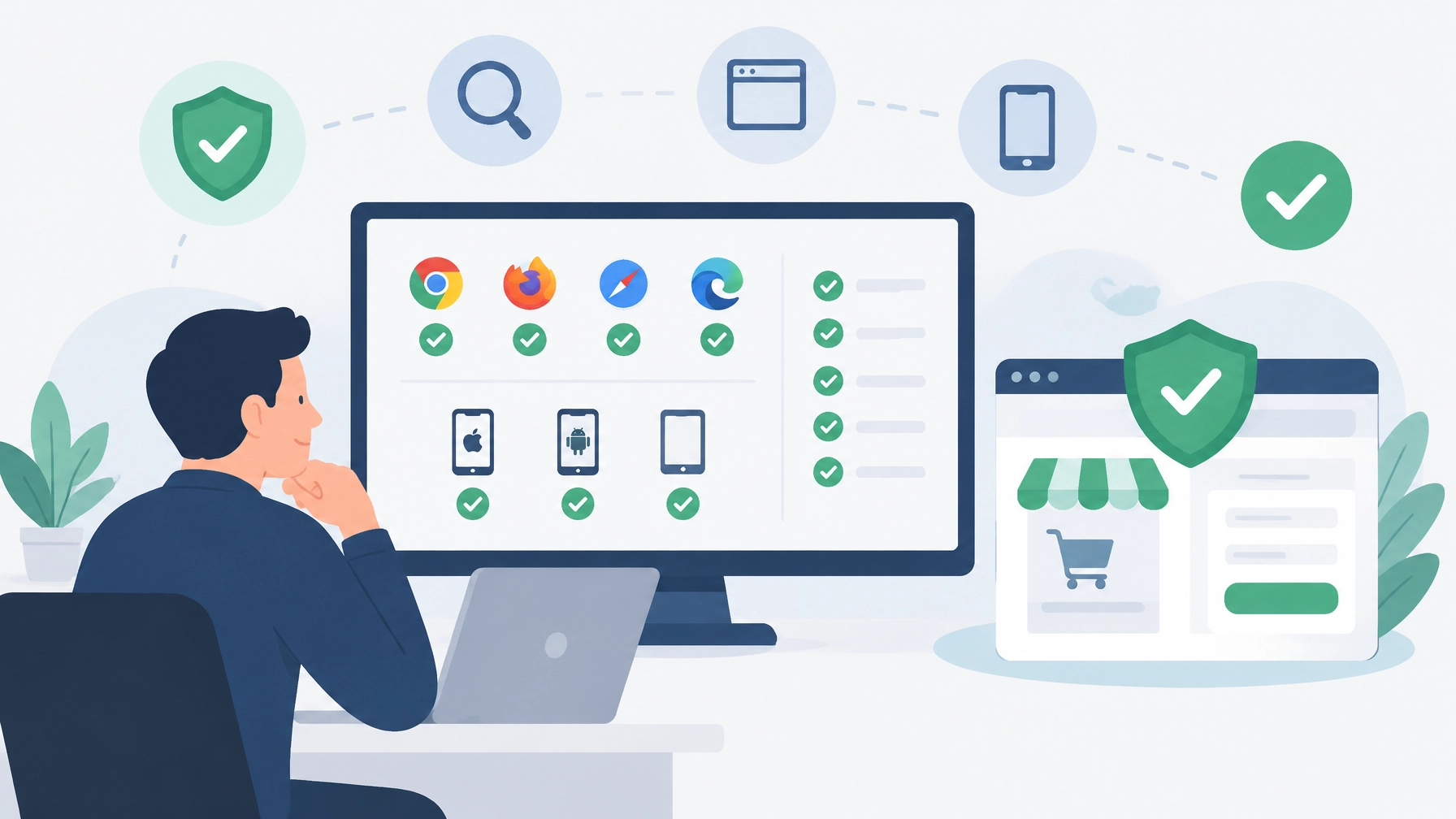
    As a website grows, the number of possible user paths increases exponentially. You have different browsers (Chrome, Firefox, Safari, Edge), various devices (iOS, Android, Desktop, Tablet), and countless user states (logged in, guest, premium user). To manually test every permutation after every single code change is not just inefficient; it is impossible.

    Manual testing is:

    • Prone to Human Error: Testers get tired or distracted and might miss a subtle UI glitch.
    • Slow: It creates a bottleneck in the development cycle, delaying new features.
    • Inconsistent: One person might test differently from another, leading to gaps in coverage.

    The Solution: Modern Automated Testing

    To achieve true business continuity, growing businesses must transition to automated testing. This involves using specialised software to execute a suite of tests every time a change is made to the codebase.

    At TeqFlo, we focus on industry-leading tools like Cypress and Playwright to build robust "safety nets" for our clients. These tools allow us to simulate real user behaviour at scale, ensuring that critical workflows remain intact.

    Cypress vs. Playwright: Choosing Your Shield

    Both tools are exceptional for automated testing near Maidenhead and beyond, but they serve slightly different strategic needs.

    Feature Cypress Playwright
    Best For Developers focusing on end-to-end (E2E) and component testing. Complex, cross-browser testing and high-performance environments.
    Pros Incredible debugging tools, easy to set up, and very "developer-friendly." Supports all modern rendering engines (Chromium, WebKit, Firefox) and is exceptionally fast.
    Cons Primarily limited to JavaScript/TypeScript. Can have a slightly steeper learning curve for non-developers.
    What You Should Use It For Rapidly testing the core user journey on a web application. Comprehensive regression testing across multiple browsers and mobile emulators.

    Developer monitoring a digital dashboard showing successful automated testing results with green ticks.
    Visual Suggestion: A clean, technical comparison chart or a dashboard showing a test suite passing with green checkmarks.

    The Role of CI/CD Pipelines

    Automated testing is most effective when integrated into a Continuous Integration and Continuous Deployment (CI/CD) pipeline.

    When a developer at TeqFlo writes a new piece of code, it isn't simply "uploaded" to the live server. Instead, it is pushed to a staging environment where the automated test suite (powered by Playwright or Cypress) runs immediately. If even a single test fails, say, the "Contact Us" page doesn't load: the deployment is automatically blocked.

    This ensures that bugs are caught in the "safety zone" before they ever reach a customer. It changes the mindset from "fixing bugs" to "preventing bugs."

    14 Years of Technical Excellence

    Our approach to software development is built on a foundation of 14 years of engineering experience. We understand that for a growing business, your website is your most valuable employee. It works 24/7, handles your sales, and represents your values.

    By applying rigorous automated testing protocols, we provide our clients with the confidence to scale. You shouldn't be afraid to update your website or add new features. With a properly configured testing suite, you can innovate at speed, knowing that your revenue streams are protected.

    TeqFlo Team Member at Work

    Future-Proofing: Where AI and Automation Meet

    While the core of website stability lies in rule-based automated testing, the digital landscape is evolving. We are beginning to see how intelligent systems can complement traditional development.

    For instance, workflow automation can be used to alert your team the moment a performance threshold is breached, allowing for proactive maintenance. Furthermore, tools like ChatForm allow you to turn standard, static contact forms into rule-based conversational experiences.

    By defining specific rules for how an enquiry should be handled, you guide the user through a seamless process. This not only improves the user experience but also ensures that the data being sent to your backend is clean and validated: reducing the likelihood of "form errors" that often plague traditional web setups.

    Business leader using a tablet to manage automated workflows, secure code, and digital growth.
    Visual Suggestion: A conceptual image showing the intersection of clean code, automated testing, and intelligent business workflows.

    Implementing Your Testing Strategy: A Step-by-Step Guide

    If you are ready to stop the silent revenue killer in your business, we recommend a phased approach:

    1. Identify Critical Paths: Determine the top 5 actions a user must be able to take (e.g., Login, Search, Add to Basket, Checkout, Contact).
    2. Audit Your Current State: Use a professional automated testing service to identify existing vulnerabilities in your current site.
    3. Start Small: Implement 5 to 10 "Smoke Tests" using Playwright. These are high-level tests that check if the most vital parts of the site are "breathing."
    4. Integrate: Connect your tests to your deployment process so they run automatically.
    5. Expand: Gradually increase coverage to include edge cases, such as slow network speeds or specific mobile device configurations.

    Conclusion: Business Continuity is Not an Accident

    Website downtime and functional bugs are not just "part of doing business." They are preventable risks that can be managed through a disciplined approach to web development near Maidenhead.

    At TeqFlo, we don't just build websites; we build resilient digital assets. By leveraging our 14 years of experience and the power of modern testing frameworks, we ensure that your technology supports your growth rather than hindering it.

    A professional exploring digital solutions

    Don't wait for a customer to tell you your site is broken. Contact TeqFlo today to discuss how we can implement a robust automated testing strategy for your business. Let’s make sure your revenue stays exactly where it belongs: in your business.

  • Scaling Without Hiring: 5 Manual Tasks You Should Automate Today

    Scaling Without Hiring: 5 Manual Tasks You Should Automate Today

    Categories: Workflow Automation, Digital Transformation, Business Automation, Lead Generation, Software Development
    Reading Time: 9 minutes

    For many growing businesses, the first instinct when workload increases is to look at the recruitment market. It feels like a logical progression: more work requires more hands. However, in the modern digital landscape, scaling by headcount alone is often the most expensive and least efficient way to grow. Every new hire brings additional overheads, training requirements, and management complexity.

    At TeqFlo, we have spent 14 years honing our expertise in web development and bespoke software application development. Over more than a decade, we have seen a recurring pattern: businesses get bogged down by "digital friction": those small, repetitive manual tasks that eat away at a team's productivity. These tasks are often the "glue" between different software platforms, usually consisting of copy-pasting data from one window to another.

    The secret to sustainable growth isn't always more people; it is better connectivity. By automating the mundane, you allow your existing team to focus on high-value, strategic work. Here are five manual tasks you should automate today to scale your business without increasing your payroll.


    1. Lead Qualification and Data Entry

    The traditional way of handling enquiries is a bottleneck. A prospect fills out a static form, an email lands in a busy inbox, and eventually, a staff member manually types those details into a CRM like HubSpot or Salesforce. This delay doesn't just waste time; it kills conversion rates. Research consistently shows that the faster you respond to a lead, the more likely you are to close the deal.

    Instead of a static form, you can use a rule-based conversational interface. At TeqFlo, we developed ChatForm specifically for this purpose. Unlike complex AI bots that can sometimes go off-script, ChatForm is a rule-based conversational form. You define the exact rules and logic to guide users through their enquiries one question at a time.

    TeqFlo ChatForm Virtual Sales Agent

    By connecting these forms directly to your CRM via an API, the data is categorised and stored the moment the user hits "submit". There is no copy-pasting required. Your sales team wakes up to a list of qualified leads already waiting for them in the system, allowing them to focus on selling rather than data entry.

    2. The "Paper Trail" of Onboarding

    Whether you are onboarding a new client or a new employee, the manual "welcome" process is often riddled with repetitive administration. Sending out contracts, requesting ID documents, setting up project folders, and assigning introductory tasks can take hours of manual labour.

    Growing businesses often lose momentum during this phase. If a client has just signed a significant contract, the last thing you want is a three-day delay while someone manually prepares their digital environment.

    Automation can handle the heavy lifting here. By integrating your contract software (like DocuSign or Pandadoc) with your project management tools (like Monday.com or Asana), you can trigger a "New Client" workflow the second a signature is detected. This workflow can:

    • Create a dedicated Slack channel.
    • Generate a standardised folder structure in Google Drive or SharePoint.
    • Invite the client to their dashboard.
    • Send a pre-written "Welcome" sequence of emails.

    This level of professional consistency is difficult to maintain manually, especially as you scale.

    3. Financial Reconciliations and Invoicing

    If your finance team is still manually generating invoices based on data from a separate sales platform, you are sitting on a goldmine of reclaimable time. The disconnect between "the work being done" and "the bill being sent" is a common friction point.

    For businesses involved in software app development near Maidenhead or similar service-based industries, time-tracking and billing should be a single, seamless flow. When a milestone is reached in your project management software, a trigger should automatically generate a draft invoice in Xero or QuickBooks.

    Three-person digital collaboration for rocket launch

    Automating these financial touchpoints reduces the risk of human error: such as forgetting to bill for additional hours or miscalculating VAT: and ensures that your cash flow remains steady as you grow. Our 14 years of experience in custom software development has taught us that the most successful businesses are those where the "tech stack" and the "finance stack" talk to each other fluently.

    4. Internal Reporting and Data Aggregation

    Many Directors and Managers spend their Monday mornings doing what we call "Spreadsheet Gymnastics". They log into five different platforms, export CSV files, and spend hours merging them into a single Excel sheet to see how the business is performing.

    This is a classic manual task that should be automated. By using middleware (like Zapier or Make) or custom-built dashboards, you can aggregate data from your website, your CRM, your accounting software, and your marketing platforms into a single, real-time view.

    Instead of looking at what happened last week, you can see what is happening now. This allows for faster decision-making. If your SEO optimisation efforts in Maidenhead are suddenly driving a spike in traffic, you want to know immediately so you can adjust your lead-capture strategy, not wait for a manual report at the end of the month.

    5. Automated Regression Testing

    As you build more custom software or complex websites, the risk of "breaking" something every time you make an update increases. Traditionally, businesses would have staff manually click through every page and button to ensure everything still works: a soul-destroying task that is prone to oversight.

    This is where automated testing becomes a game-changer. Rather than having a human check your website, we write scripts using frameworks like Playwright or Cypress that "test" your site automatically.

    Team of professionals collaborating in a modern office

    These scripts can run every night or every time a change is made, ensuring that your checkout process, login forms, and contact pages are fully functional. This doesn't just save time; it protects your reputation. It allows you to scale your digital presence with the confidence that your infrastructure won't crumble under the weight of new features.


    The Path to Intelligence: Sprinkling in AI

    While the five tasks above are primarily about rule-based automation and connectivity, the next logical step for a growing business is to look at where AI automation can provide a competitive edge.

    Once you have your data flowing smoothly between your CRM and your project management tools, you can begin to "sprinkle" in intelligent layers. For example:

    • Summarisation: Use LLMs to read through a long enquiry captured by ChatForm and provide a three-bullet point summary for the sales rep.
    • Drafting: Automatically draft initial responses to common customer service tickets based on your existing knowledge base, which a human can then review and send.
    • Sentiment Analysis: Automatically flag any incoming emails that seem "unhappy" or "urgent" so they get prioritised in the queue.

    However, we always advise our clients to get the foundations right first. You cannot effectively automate intelligence on top of a broken, manual process. Clean code and solid workflows are the prerequisites for any successful AI implementation.

    Two engineers monitor a humanoid robot

    Efficiency is the New Growth Metric

    In 2026, the businesses that thrive won't necessarily be the ones with the largest offices or the most employees. They will be the ones that have mastered the art of digital efficiency.

    By connecting your tools and eliminating the "copy-paste" culture, you create a scalable foundation that can handle double or triple the volume without a corresponding increase in stress or overheads.

    If your team is currently buried under a mountain of manual admin, it is time to look at your workflows. With 14 years of experience in building custom digital solutions, the TeqFlo team is here to help you bridge the gap between your different platforms.

    Whether you need a more intelligent way to capture enquiries or a bespoke application to manage your entire operation, the goal is always the same: let the machines do the boring work, so your people can do the great work.

    Ready to stop the manual madness? Contact TeqFlo today and let's talk about how we can automate your path to scale.

  • Custom Web App vs Off-the-Shelf Software: Which One Actually Saves You Money?

    Custom Web App vs Off-the-Shelf Software: Which One Actually Saves You Money?

    Categories: Software Development, App Development, Digital Transformation, Business Automation, Enterprise Solutions
    Reading time: 8 minutes

    If you are paying for software features your team never uses, adapting your processes to fit someone else’s system, or maintaining a collection of spreadsheets and integrations, the cheapest-looking option may not be the most economical.

    The choice between off-the-shelf software and custom web application development is not simply a comparison between a subscription and a development invoice. It is a decision about how your business works, where time is being lost, and how much control you need over your systems.

    Off-the-shelf software usually costs less at the beginning. A custom web app usually requires more planning and investment upfront. However, a bespoke application can become more cost-effective when it removes manual work, reduces software duplication, improves efficiency and supports growth without continually adding licences.

    The right answer depends on your workflows, users, integrations and long-term objectives.

    The real cost is total cost of ownership

    A fair comparison must look beyond the initial price. Total cost of ownership includes every direct and indirect cost associated with operating a system.

    Consider the following:

    1. Licences or development costs
    2. Configuration and implementation
    3. Integrations and data migration
    4. Hosting and infrastructure
    5. Support, maintenance and upgrades
    6. Training and onboarding
    7. Manual work caused by system limitations
    8. Additional tools and add-ons
    9. Data export and switching costs

    An off-the-shelf platform may appear inexpensive because the cost is spread across monthly payments. A custom application may appear expensive because much of the investment is visible at the start.

    Neither figure tells the full story.

    Custom app development team planning workflows and digital solutions

    Off-the-shelf software: the advantages and limitations

    Off-the-shelf software is built for a broad market. It typically provides a set of standard functions that can be configured to suit different organisations.

    Pros

    • Lower initial cost
    • Faster implementation
    • Established user interface and documentation
    • Vendor-managed hosting, updates and core security
    • Access to existing integrations and support resources
    • Suitable for common, well-understood business processes

    Cons

    • You may pay for features that are irrelevant to your business
    • Your team may need to adapt its processes to the platform
    • Advanced functionality may require premium plans or paid modules
    • Integrations can introduce recurring costs and additional failure points
    • Vendor price increases can affect future budgets
    • Changes to the vendor’s roadmap are outside your control
    • Data and functionality may be difficult to migrate later

    What you should use it for

    Off-the-shelf software is often the sensible choice when your requirements are standard, your team is small, and you need to start quickly.

    For example, a growing business may not need a custom accounting platform. A reliable existing product is likely to handle invoicing, reporting and tax-related workflows more efficiently than building those functions from scratch.

    The problem starts when a general-purpose platform becomes central to a process that is unique to your business.

    Custom web applications: the advantages and limitations

    Custom web application development creates software around your organisation’s specific processes, data and users.

    The application may be an internal operations platform, a customer portal, a booking system, a workflow dashboard or a web-based product that supports your commercial model.

    Pros

    • Built around your actual workflows
    • No need to pay for irrelevant functionality
    • Greater control over integrations and data flows
    • Easier to create role-specific user experiences
    • Can reduce duplicate entry and manual administration
    • More control over future priorities and development
    • Can provide a competitive advantage through proprietary processes
    • Scales with your users, data and operational requirements

    Cons

    • Higher initial investment
    • Requires proper discovery and requirements planning
    • You remain responsible for maintenance and improvements
    • Poorly managed scope can increase cost and delay delivery
    • You need a dependable technical partner or internal development capability
    • Security, hosting, backups and monitoring must be planned carefully

    What you should use it for

    A custom web application is more likely to deliver value when your business has complex workflows, several systems that need to work together, or a significant amount of repetitive administration.

    It is also appropriate when the software itself is part of your customer experience or competitive differentiation. If the way you manage enquiries, allocate work, provide services or deliver information is central to your business, a generic platform may limit future growth.

    A practical cost and benefit example

    Consider a service business with 15 staff members.

    It currently pays:

    • £300 per month for a core software platform
    • £150 per month for additional modules and integrations
    • £6,000 for initial configuration and data migration

    Over five years, the direct cost would be:

    • Core subscription: £18,000
    • Add-ons and integrations: £9,000
    • Initial implementation: £6,000
    • Total: £33,000

    That figure does not include manual work. If the platform causes each employee to spend just two hours per week exporting data, checking records or updating another system, the opportunity cost can become substantial.

    Now compare that with an illustrative custom application:

    • Initial discovery, design and development: £35,000
    • Hosting, maintenance and support: £600 per month
    • Five-year direct cost: £71,000

    At first glance, the custom application appears more than twice as expensive. However, if it removes five hours of administrative work per employee each week, the business may recover considerably more productive capacity over the same period.

    This is not a guaranteed saving or a universal market estimate. It is a model for thinking about the decision. Your calculation should use your own staff costs, software quotations, time spent on workarounds, user numbers and expected growth.

    The key question is not:

    “Which option has the lowest purchase price?”

    It is:

    “Which option creates the lowest cost for delivering this business process over its useful life?”

    Where off-the-shelf costs can increase

    The most common hidden costs are not always obvious during procurement.

    Unused functionality

    A platform may include dozens of features, but your business may rely on only a small proportion of them. You are effectively funding a broad product when you need a focused tool.

    Additional users

    Per-user pricing can become increasingly expensive as your team grows. Temporary users, contractors and external partners may also require additional licences.

    Premium modules

    Functions such as advanced reporting, automation, permissions or API access may be restricted to higher pricing tiers.

    Workarounds

    Workarounds often involve spreadsheets, manual exports, duplicate data entry and informal processes. These create operational overhead and increase the chance of mistakes.

    Integration dependency

    Connecting several platforms may require middleware, paid connectors or custom scripts. Each additional system introduces another dependency to monitor and maintain.

    Switching costs

    If the platform no longer suits your business, moving away may involve data cleansing, migration, retraining and rebuilding integrations.

    Where custom application costs can increase

    Custom software is not automatically cheaper. It must be managed as a long-term digital asset.

    The most significant risks include:

    • Starting development before the business problem is clearly defined
    • Adding features without reviewing their business value
    • Designing for current requirements without considering future users or data
    • Selecting technology that is difficult to maintain
    • Failing to document the architecture and deployment process
    • Treating security and testing as late-stage activities

    A controlled discovery phase is therefore essential. Before development begins, you should understand which process the application will improve, who will use it, what systems it must connect to and how success will be measured.

    Professionals collaborating on a tailored digital solution and business workflow

    Security, privacy and ownership

    Both approaches carry security and privacy responsibilities.

    With off-the-shelf software, you must assess the vendor’s security controls, data processing arrangements, access permissions, hosting locations, backup policies and incident response processes. You should also understand what happens to your data if the supplier changes its service or closes your account.

    With custom software, you have more control over the architecture and data flows, but you also carry greater responsibility for secure development, dependency management, access control, monitoring, updates and testing.

    The National Institute of Standards and Technology’s software supply chain guidance is useful when assessing both custom and commercial software. Its recommendations reinforce the importance of understanding third-party components, secure development practices and supplier risk.

    Privacy should be considered during architecture and design, not added after launch. Data minimisation, appropriate retention, role-based access and audit trails should reflect the information your business actually needs to process.

    When should you choose custom web application development?

    Custom development is worth serious consideration when several of the following statements apply:

    1. Your team relies on spreadsheets to compensate for software limitations.
    2. Staff repeatedly enter the same information into multiple systems.
    3. Your processes are different from those supported by standard platforms.
    4. You need several systems to share data reliably.
    5. Your software costs increase as your team grows.
    6. Your customer experience depends on a tailored digital journey.
    7. You expect the process to become more complex over the next three to five years.
    8. The business would benefit from dashboards, permissions or automation designed around specific roles.
    9. The software could become a valuable business asset or differentiator.

    If only one or two apply, configuration or process improvement may be enough. If most apply, continuing to add subscriptions and workarounds may be less economical than creating a focused application.

    How TeqFlo approaches bespoke app building

    TeqFlo brings 14 years of experience in web development, software development and app development. That engineering foundation informs how we approach custom web application development today.

    We begin with discovery rather than technology selection. The objective is to identify the real operational problem, remove unnecessary complexity and define a solution that can evolve.

    Our process includes:

    1. Discovery: Understand business objectives, users, bottlenecks and constraints.
    2. Planning: Define the product scope, integrations, technical approach and delivery roadmap.
    3. Design: Create accessible, user-focused interfaces for the people who will use the application.
    4. Development: Build secure, maintainable and scalable software.
    5. Testing: Validate functionality, performance and reliability through structured testing.
    6. Launch and support: Deploy the application carefully and provide ongoing maintenance.

    You can explore TeqFlo’s custom app and software development service or learn more about bespoke web development.

    The decision: buy, build or combine?

    The choice does not always have to be entirely one or the other.

    A practical strategy may be to retain reliable off-the-shelf tools for standard functions while building a custom application for the process that creates the most cost, friction or competitive value.

    For example, you could retain your accounting platform and email service while introducing a bespoke operations portal that connects them. This avoids rebuilding commodity functionality while giving your team a system designed around its core workflow.

    The best investment is usually the one that matches the level of uniqueness in the problem.

    If your business process is standard, buy. If it is strategically important, operationally inefficient and poorly served by existing tools, build. If the answer is unclear, begin with a structured discovery exercise and a total-cost-of-ownership comparison.

    That approach replaces guesswork with a decision based on measurable business value.

    Discuss your requirements with TeqFlo to assess whether custom web application development is the right route for your business.

    Frequently asked questions

    Is custom web application development always more expensive?

    No. It normally requires a higher upfront investment, but it may reduce recurring licences, manual administration, integration costs and future switching costs. The outcome depends on the application’s scope and the value of the process it improves.

    How do I calculate whether a custom app will save money?

    Compare five-year total cost of ownership. Include subscriptions, add-ons, implementation, integrations, training, maintenance, hosting and staff time spent on workarounds. Then estimate the operational value created by the custom application.

    Can a custom web app integrate with existing software?

    Yes. Integrations can be planned around your existing CRM, accounting system, databases, identity provider and other business tools. The exact approach depends on the APIs, data structures and security requirements involved.

    How long does a custom application take to build?

    The timeline depends on complexity, integrations, user roles and testing requirements. TeqFlo states that most of its software and app projects are delivered within 8–16 weeks, subject to requirements and scope.

    What if I need standard software as well as a custom application?

    A combined approach is often practical. Keep off-the-shelf software for standard tasks and use custom development where your processes require more flexibility or where workarounds are creating measurable cost.

  • How Much Should a Website Cost in 2026? A Straight-Talking Breakdown for UK Businesses

    How Much Should a Website Cost in 2026? A Straight-Talking Breakdown for UK Businesses

    Categories: Web Development, Website Design, SEO Optimisation, Digital Transformation
    Reading time: 8 minutes

    If you have asked an agency how much a website costs, you have probably heard the same answer: “It depends.”

    That is true, but it is not particularly helpful when you are trying to set a budget.

    The cost of a website depends on its size, design, content, functionality, integrations and the level of quality assurance required. However, UK businesses should still be able to work from realistic planning ranges before requesting formal proposals.

    This guide provides practical 2026 price bands for three common types of website project. These figures are indicative, not fixed quotes, and are generally exclusive of VAT and ongoing running costs.

    The short answer: typical UK website costs in 2026

    Website type Typical 2026 project range Usually suitable for
    Simple brochure-style website £1,500–£5,000 A small business needing a credible online presence
    Professional multi-page business website £4,000–£15,000 Growing businesses relying on enquiries, search visibility and content
    Bespoke website or custom web application £15,000–£50,000+ Businesses needing custom workflows, portals, payments or integrations

    A straightforward DIY website builder may cost considerably less in upfront fees. At the other end of the market, complex eCommerce platforms, customer portals and software products can exceed £50,000 or £100,000, depending on the requirements.

    The important point is to compare like with like. A £2,000 website and a £12,000 website may both be described as “business websites”, but they may include very different levels of strategy, design, content, development and testing.

    1. Simple brochure-style website: £1,500–£5,000

    A brochure website usually contains between three and eight pages. Typical pages include:

    • Home
    • About
    • Services
    • Individual service pages
    • Contact
    • Privacy policy
    • Blog or news section

    This type of website is primarily designed to establish credibility and generate enquiries. It may use a pre-built theme or a managed content management system with a degree of customisation.

    What the price may include

    • Responsive website design
    • A small number of page templates
    • Contact form
    • Basic content management system
    • Mobile and desktop layouts
    • Basic technical SEO
    • Analytics setup
    • Standard launch testing

    Pros

    • Lower initial investment
    • Faster to launch
    • Suitable for a clear and simple service offering
    • Easier to manage internally

    Cons

    • Less scope for distinctive user experiences
    • More limited functionality
    • May require a redesign as the business grows
    • Theme customisation can become restrictive

    What you should use it for

    A brochure-style website is appropriate when your main goal is to give potential customers confidence, explain your services and provide a clear way to contact you.

    It may suit a local trades business, consultant, independent professional or early-stage company. However, it should not be treated as a complete digital strategy. If your website is expected to generate a significant proportion of your enquiries, the quality of the content, SEO structure and forms becomes more important than the page count alone.

    2. Professional multi-page business website: £4,000–£15,000

    This is the most relevant category for many established and growing businesses.

    A professional business website may contain 10 to 30 pages, including dedicated service pages, sector pages, case studies, team profiles, resources and regularly updated content.

    The price is higher because the project usually involves more than putting pages into a template. It may include information architecture, custom design, content planning, search optimisation, conversion journeys and more thorough testing.

    What typically drives the cost

    • Discovery and requirements planning
    • Bespoke or semi-bespoke design
    • Multiple page templates
    • Copywriting or copy editing
    • Photography and image sourcing
    • Technical SEO foundations
    • Redirect planning for an existing website
    • CRM or email marketing integration
    • Booking or enquiry systems
    • Accessibility checks
    • Cross-browser and multi-device testing
    • Content migration
    • Staff training and post-launch support

    A professional website should be designed around what visitors need to do, not simply how many pages the business wants to publish.

    For example, a law firm may need separate pages for each area of practice, strong trust signals and enquiry journeys. An estate agent may need property feeds and valuation forms. A consultancy may need downloadable resources, lead qualification and CRM integration.

    Professionals reviewing website code, quality assurance and project requirements

    Pros

    • Stronger brand presentation
    • Better foundations for SEO and content marketing
    • More effective enquiry journeys
    • Greater flexibility for integrations
    • Easier to extend as the business develops

    Cons

    • Requires more time from the client team
    • Content and approvals can delay the project
    • More decisions are needed before development begins
    • Ongoing maintenance becomes more important

    What you should use it for

    Choose this route when your website is a central part of sales, marketing or customer service. It is usually the right level for businesses that need to compete in search results, explain a complex service offering or connect the website to other business systems.

    3. Bespoke website or custom web application: £15,000–£50,000+

    A bespoke build is not simply a more expensive version of a brochure website. It is appropriate when the business requires functionality that cannot be delivered effectively through a standard theme, website builder or collection of plugins.

    Examples include:

    • Customer portals
    • Membership platforms
    • Bespoke booking systems
    • Business dashboards
    • Multi-user workflows
    • Secure document sharing
    • Online marketplaces
    • Advanced eCommerce
    • Internal operational tools
    • Custom iOS, Android or web applications

    The main cost drivers are the number of user roles, workflows, data requirements, integrations, security controls and testing scenarios.

    A custom application may begin with a discovery phase rather than a fixed build price. This allows the development team to define the minimum viable release, identify risks and create clearer acceptance criteria.

    Pros

    • Built around your actual business processes
    • Can remove manual work and duplicated data entry
    • More scalable than forcing a business into a generic platform
    • Greater control over user journeys and integrations
    • Can become a long-term operational asset

    Cons

    • Higher initial investment
    • Longer planning and delivery cycle
    • Requires ongoing technical support
    • Security, backups and data protection need careful management

    What you should use it for

    Consider a bespoke web application when your website is becoming an operational system rather than a marketing channel.

    If staff are manually copying information between forms, spreadsheets, booking tools and CRM systems, custom software may provide a better long-term solution. TeqFlo provides custom web, software and app development for businesses that have outgrown a standard website.

    The genuine cost drivers

    The number of pages matters, but it is only one part of the calculation.

    1. Pages and templates

    Ten pages based on one reusable template require less work than ten completely different page designs. Ask an agency to separate the number of pages from the number of unique templates.

    2. Custom design versus a theme

    A theme can reduce design time, but it may also impose limitations. Custom design usually includes user journeys, wireframes, visual design, responsive states and component rules.

    The cheapest theme is not always the most economical option. Extensive modifications to a poorly chosen theme can create technical debt and increase future maintenance costs.

    3. Copywriting and photography

    Website copy, photography, illustration and video are often excluded from lower-cost quotes.

    If the business supplies all content, the project may cost less. However, the content still needs to be accurate, accessible, search-friendly and legally usable. Images must have appropriate usage rights, and claims about services or results must be supportable.

    4. Integrations

    A simple contact form is relatively contained. Connecting a website to a CRM, booking system, payment provider, accounting platform or stock system introduces additional data flows and failure points.

    Ask what “integration” means in practical terms. Sending a name and email address to a CRM is very different from synchronising customer records, payment statuses and booking availability.

    5. SEO foundations

    SEO should be considered during planning, not added after launch. The scope may include:

    • Search-friendly page structure
    • Metadata controls
    • Internal linking
    • XML sitemaps
    • Redirects
    • Structured data
    • Image optimisation
    • Analytics and Search Console
    • Technical performance

    A beautiful website that cannot be found or does not match search intent is an incomplete investment.

    6. Accessibility and testing

    Accessibility affects design, development and content. Keyboard navigation, colour contrast, form labels, error messages and heading structure all matter.

    Testing should cover forms, links, mobile layouts, browsers, performance and important user journeys. TeqFlo’s automated website testing service uses tools such as Cypress, Playwright and Selenium to help identify issues before customers do.

    The hidden costs nobody quotes

    The initial build is only part of the total cost of owning a website.

    Budget for:

    • Domain registration
    • Hosting or website builder subscriptions
    • Premium themes and software licences
    • Business email
    • Security updates
    • Backups and recovery
    • Content updates
    • Technical support
    • SEO and content production
    • Performance monitoring
    • Future integrations
    • Accessibility improvements

    A realistic small-business allowance for hosting, maintenance and support may be around £50–£300 per month, depending on the platform and level of service required.

    You should also consider the cost of rebuilding a poorly planned website in 18 months. A low initial price can become expensive if the website has:

    • No clear ownership structure
    • Poor-quality code
    • Missing documentation
    • Unclear hosting access
    • Inaccessible content
    • No redirect plan
    • No testing process
    • Plugins or licences that cannot be transferred

    The cheapest website is not necessarily the one with the lowest total cost.

    The cheap website that costs more

    Cutting the wrong corners can create direct business costs.

    A slow website may lose visitors before they contact you. Poor SEO foundations can make future visibility more difficult. A broken enquiry form can mean lost leads. An untested payment or booking journey can damage trust and create support work.

    This does not mean every business needs an expensive bespoke build. It means the essentials should not be removed simply to meet a low headline price.

    A sensible first release can be smaller, but it should still be:

    • Fast enough for real users
    • Securely configured
    • Mobile-friendly
    • Easy to navigate
    • Accessible to a reasonable standard
    • Connected to the right systems
    • Properly tested
    • Supported after launch

    What to ask an agency before comparing quotes

    Use the following checklist when reviewing proposals:

    1. What exactly is included? Ask for page numbers, templates, features and deliverables.
    2. Who supplies the copy, photography and other content?
    3. Is the design based on a theme, a customised theme or a bespoke design system?
    4. Which SEO foundations are included?
    5. Are redirects, analytics and Search Console included?
    6. Which browsers, devices and user journeys will be tested?
    7. How will accessibility be assessed?
    8. What integrations are included, and what data will they exchange?
    9. Who owns the domain, hosting account, code, content and licences?
    10. What happens if the project needs additional work?
    11. What support is included after launch?
    12. What are the expected hosting, licence and maintenance costs over three years?

    A good quote should make exclusions as clear as inclusions.

    How TeqFlo approaches website investment

    At TeqFlo, we do not begin with a template or a fixed package. We begin by understanding the business problem the website needs to solve.

    Our bespoke web development service focuses on responsive, SEO-friendly websites with scalable code, clear user journeys and business-focused functionality. We combine over 12 years of experience in web development, software development and app development with a practical focus on long-term reliability.

    Testing and optimisation are part of making a website last. A site should continue to work as browsers, devices, content and integrations change.

    When a business outgrows a conventional website, the next step may be a custom web application rather than another redesign. That could mean a client portal, internal workflow, booking system or integrated business platform.

    The right budget is therefore not the biggest one available. It is the budget that reflects what your website must achieve today, how it may need to evolve and the cost of maintaining it properly.

    If you want a clearer view of what your project should include, contact TeqFlo to discuss your website requirements.

  • One Question at a Time: The Psychology Behind Conversational Forms (and Why They Convert)

    One Question at a Time: The Psychology Behind Conversational Forms (and Why They Convert)

    Categories: Conversion Optimisation, Enquiry Conversion, Lead Generation, Customer Engagement, Website Design, Live Chat
    Reading time: 8 minutes

    For enquiry-led businesses, the contact form is often the final step between website interest and a sales opportunity.

    It is also where many potential customers leave.

    A traditional form may ask visitors to complete their name, email address, telephone number, company, budget, service type and message before they can submit an enquiry. From the business’s perspective, this seems efficient. All the required information is visible and available immediately.

    From the visitor’s perspective, it can look like work.

    Conversational forms take a different approach. Instead of presenting every field at once, they ask one question at a time through a guided virtual agent experience. The underlying information captured may be similar, but the interaction feels more manageable, personal and purposeful.

    This difference is grounded in several well-established behavioural principles: cognitive load, progressive disclosure, commitment and consistency, and friction reduction.

    Why traditional contact forms create friction

    A multi-field form creates several decisions before the visitor has even started:

    • How long will this take?
    • Why do you need all this information?
    • What should I write in the message box?
    • Do I need to provide my telephone number?
    • Will someone actually respond?
    • What happens after I press “Submit”?

    This mental calculation is a form of friction. The visitor is not only completing fields; they are assessing the perceived cost and risk of continuing.

    A long form can therefore create an effort shock. The user sees the entire task at once and may decide that it is easier to leave, call later or visit another website.

    This matters particularly for businesses such as:

    • Trades and home improvement companies
    • Law firms and professional advisers
    • Estate agents
    • Travel companies
    • Consultancies
    • Healthcare and wellbeing providers
    • Other service businesses that depend on enquiries

    The visitor may be interested in the service, but interest does not guarantee action. The form still needs to make the next step feel easy.

    1. Cognitive load: the problem with showing everything at once

    Cognitive load is the mental effort required to process information and complete a task.

    When a visitor sees a large form, they must scan the page, understand each field, decide what information is relevant and plan how to respond. This increases the amount of information competing for their attention.

    Conversational forms reduce this burden through progressive disclosure. Only the current question is presented, so the visitor can focus on one decision at a time.

    For example, a traditional form may display:

    • Full name
    • Email address
    • Telephone number
    • Service required
    • Location
    • Budget
    • Preferred date
    • Detailed message

    A conversational form might instead ask:

    1. “What can we help you with?”
    2. “Where is the property located?”
    3. “When would you like the work completed?”
    4. “What is the best way to contact you?”

    The total information collected may be comparable. The perceived task is not.

    Why this is particularly important on mobile

    A form that looks reasonable on a desktop can become tiring on a mobile screen. Users may need to scroll repeatedly, tap small fields and correct mistakes caused by limited space.

    One clearly presented question is easier to understand and complete with a thumb. It also reduces the visual clutter that makes a form appear longer than it may actually be.

    For businesses reviewing their SEO-friendly website design, mobile form usability should be treated as part of conversion optimisation, not as a separate technical detail.

    2. Commitment and consistency: building momentum through small actions

    The principle of commitment and consistency suggests that people who take a small initial action are more likely to continue with related actions.

    Conversational forms apply this through a sequence of small commitments.

    The first question should be easy to answer. It might ask for the visitor’s name, the type of service they need or a simple choice such as “Are you looking for a quote or more information?”

    Once the visitor answers, they have begun the process. A second question feels like a continuation rather than a new task.

    This is different from a traditional form where the visitor sees a large number of blank fields and a single final “Submit” button. Nothing feels complete until the final action. In a conversational flow, each answer creates a small sense of progress.

    The practical principle: make the first step easy, relevant and low-risk.

    Avoid beginning with a demanding open-text question such as “Please describe your requirements in detail.” Start with a clear question that helps the visitor identify their intent.

    3. Friction reduction: remove unnecessary decisions

    Every field is a potential exit point.

    That does not mean businesses should remove all qualification questions. It means each question should earn its place in the journey.

    Ask yourself:

    1. Do we need this information before speaking to the visitor?
    2. Can we collect it later?
    3. Can we replace typing with a clear selection?
    4. Does this question help the visitor reach the right next step?
    5. Is the reason for requesting sensitive information clear?

    A conversational form can reduce friction by:

    • Asking one question at a time
    • Using selectable answers where appropriate
    • Skipping irrelevant questions through defined rules
    • Explaining why contact details are needed
    • Using short, natural language
    • Providing clear feedback after each response
    • Making the final next step explicit

    The aim is not to hide the process or manipulate the visitor. It is to make the process easier to understand.

    Virtual sales agent collecting contact details one question at a time

    4. Why a conversation feels more supportive

    A static form places the responsibility on the visitor. They must interpret the page, decide what to enter and judge whether they are doing it correctly.

    A guided conversation provides structure.

    Short acknowledgements such as “Thanks, that helps” or “Understood. One more question” provide feedback that the visitor’s answer has been received. This reduces uncertainty and makes the interaction feel more responsive.

    Research from Harvard Business School examined question-asking in live conversations. Across several studies, participants who asked more questions, particularly relevant follow-up questions, were perceived as more responsive and were better liked by their conversation partners. The research is about human conversations rather than website forms, so it should not be treated as direct proof of a specific conversion uplift.

    However, it supports a useful design principle: people respond positively when an interaction appears to pay attention to them.

    For a website, this means questions should follow a logical sequence. A visitor who selects “boiler replacement” should not then be asked questions that only apply to bathroom installation. Relevance is part of the experience.

    Conversational forms versus traditional forms

    Consideration Traditional multi-field form Conversational form
    Information shown All fields are visible One question at a time
    Perceived effort Often appears high Usually feels more manageable
    Personalisation Limited Can follow defined conversation rules
    Mobile experience Can require extensive scrolling Keeps attention on one step
    Qualification Usually happens through fields Can happen through branching questions
    Best suited to Short, simple interactions Longer enquiry and lead-capture journeys
    Main risk Overwhelming visitors Slowing down very simple tasks

    What conversational forms should be used for

    Conversational forms are most useful when the enquiry journey involves several questions or when visitors may need help deciding what information to provide.

    Good use cases

    • Requesting a quote from a trades business
    • Finding the right legal service
    • Enquiring about a property
    • Planning a holiday or travel package
    • Booking a consultation
    • Choosing between different service options
    • Qualifying a project before a sales call

    When a traditional form may be better

    A traditional form can remain the right choice when the interaction is extremely short. Newsletter sign-ups, simple login screens and two-field requests do not necessarily benefit from a conversational layer.

    The decision should be based on the user journey rather than the novelty of the technology. If the form is already short, clear and easy to complete, changing its format may add unnecessary complexity.

    ChatForm: a practical way to test the approach

    ChatForm by TeqFlo is designed for businesses that want to replace or supplement a traditional website contact form with a branded virtual agent experience.

    It is a rule-based conversational form. Clients define the rules and questions that guide visitors through an enquiry one step at a time. It is not an open-ended AI assistant and does not rely on LLMs to generate unpredictable responses.

    The experience can include:

    • A branded virtual agent with a suitable name and appearance
    • Questions tailored to the company’s services
    • Defined paths for different types of enquiry
    • Existing website and enquiry-system compatibility
    • A lightweight script-tag installation
    • Data delivery to API-friendly systems and business workflows

    Rule-based conversational form with selectable enquiry options

    This makes ChatForm relevant to growing businesses that do not want to rebuild their entire website to improve lead capture. It can sit alongside existing processes while giving visitors a more guided route to making contact.

    Pricing starts at £29 per month for small businesses and £49 per month for larger teams, with setup costs applying for configuration and testing.

    The sensible approach is to measure its effect through your own analytics. Track:

    1. Form starts
    2. Completion rate
    3. Drop-off at each question
    4. Valid contact details collected
    5. Qualified enquiries
    6. Response and sales outcomes

    Higher completion is useful, but it is not the only objective. A well-designed form should also improve the quality and relevance of the enquiries your team receives.

    Legal, ethical and trust considerations

    Reducing friction must not mean reducing transparency.

    Businesses collecting personal information through a conversational form should:

    • Explain why contact details are required
    • Collect only information that is relevant
    • Make privacy information easy to find
    • Avoid pre-selecting unnecessary marketing consent
    • Secure enquiry data in transit and at rest
    • Follow UK GDPR requirements
    • Provide an accessible experience for different users

    The tone should also match the seriousness of the service. A playful interface may suit a travel company, while a law firm or financial consultancy may need a more restrained presentation.

    The best conversational experiences are not designed to pressure visitors. They are designed to make the path clearer.

    The wider lesson for website owners

    A contact form is not merely a technical component. It is part of the customer journey.

    If your website attracts visitors through search, paid advertising or referrals, the form needs to carry that interest forward. A strong web development project in Maidenhead should consider not only how pages look, but also how visitors move from first impression to enquiry.

    TeqFlo brings over 12 years of experience in web development, software development and app development. That engineering foundation is useful when improving forms because conversion features must still work reliably with your existing website, CRM, notifications and internal processes.

    For a growing business, the practical starting point is simple:

    1. Review your current form on a mobile device.
    2. Count the visible fields and required questions.
    3. Identify where visitors are likely to hesitate.
    4. Remove information you do not need immediately.
    5. Test a one-question-at-a-time journey.
    6. Measure completion and enquiry quality before drawing conclusions.

    Conversational forms are not a universal replacement for traditional forms. They are a structured response to a common problem: asking visitors to do too much, too soon.

    By reducing cognitive load, creating momentum and making each question feel relevant, one-question-at-a-time experiences can turn an administrative form into a clearer route towards genuine engagement.

    If your website depends on enquiries, contact TeqFlo to discuss whether ChatForm, a wider conversion improvement project or bespoke web development is the right next step.

  • 10 Reasons Your AI Workflow Isn’t Working (And How to Fix It)

    10 Reasons Your AI Workflow Isn’t Working (And How to Fix It)

    Categories: AI Automation, Business Automation, Workflow Automation, Digital Transformation, Website Testing
    Reading time: 7 minutes

    AI workflow automation can reduce repetitive work, speed up hand-offs and help teams make better use of their time. But adding an AI model to a process does not automatically make that process effective. Projects can stall because the underlying workflow is unclear, systems do not connect reliably, or nobody has defined how success will be measured.

    For growing businesses considering business process automation in the UK, the practical question is not simply, “Which AI tool should we use?” It is, “What needs to change for this workflow to work reliably in day-to-day operations?”

    Here are ten common reasons AI workflows underperform, and what to do about each one.

    At a glance

    1. The process is poorly understood.
    2. The use case is too broad.
    3. The data is unreliable.
    4. AI is being used where rules would be better.
    5. Existing systems do not integrate properly.
    6. Nobody owns the workflow.
    7. Human oversight is ineffective.
    8. The team has not adopted the change.
    9. Success has not been defined.
    10. Testing and maintenance are missing.

    1. You are automating a process nobody has mapped

    If employees handle the same task differently, an automated workflow will inherit that uncertainty. It may miss informal decisions, duplicate checks or exceptions that are obvious to experienced staff but absent from written procedures.

    How to fix it: Map the process from start to finish before selecting technology. Record what triggers the work, which systems and people are involved, where decisions happen, and what happens when information is missing. Agree the intended process, including exception routes, before building.

    2. The first use case is too ambitious

    Trying to automate an entire department or customer journey at once makes it harder to spot where a project is going wrong. It also increases the cost of changing direction.

    How to fix it: Start with a narrow, frequent task that has a clear business benefit and manageable risk. For example, AI might classify incoming requests and suggest a destination, while a person approves the routing. Expand only when the smaller workflow performs consistently.

    The UK Government’s guidance on planning and preparing for AI implementation recommends considering the problem, people, data and operational context, not just the technology.

    3. The data is incomplete or inconsistent

    An AI workflow can only make useful use of the information it receives. Duplicate customer records, missing fields, outdated documents and inconsistent labels can produce unreliable outputs or create extra work for staff.

    How to fix it: Check data quality before development. Decide which system is the trusted source for each important field, and define how to handle missing, conflicting or out-of-date information. Test with realistic examples, including the messy cases that occur in normal operations.

    Also check whether the workflow uses personal or commercially sensitive information. Consider access controls, data minimisation, retention and supplier arrangements before putting information into a new service.

    4. AI is being used for a job that needs simple rules

    Not every repetitive task needs AI. If a process follows stable, explicit logic, such as sending a confirmation when a required field is completed, a conventional automation may be cheaper and more predictable.

    AI is more useful when the workflow needs to interpret varied or unstructured material, such as categorising a free-text request. Even then, it should not be treated as infallible.

    How to fix it: Separate the workflow into deterministic steps, AI-supported steps and decisions that need human judgement. Use rules where the answer is fixed; use AI where interpretation adds value; escalate uncertain or consequential cases.

    5. Your systems do not connect reliably

    A workflow may behave perfectly in a demonstration but fail when it encounters real system permissions, API limits, delays or unusual records. If an integration silently fails, information can be lost or entered twice.

    How to fix it: Check system access, integration options, data formats, error handling and ownership early. Test the complete journey across the tools your team actually uses, not just the AI component. Include clear alerts and a safe manual fallback for when a connection fails.

    For UK businesses exploring business process automation, integration planning is often as important as model selection. A workflow is only useful if it fits the systems and responsibilities already in place.

    6. Nobody is accountable for the workflow

    Without a named owner, small issues can linger: a team member spots an incorrect output, a supplier changes an interface, or a process changes without anyone updating the automation.

    How to fix it: Assign a business owner for the process and a technical owner for its operation. Document what the workflow does, who can approve changes, how issues are reported and who reviews performance. Keep the documentation usable, not just filed away.

    7. Human oversight is present in theory, not in practice

    A person clicking “approve” is not meaningful oversight if they cannot understand the output, have no time to check it, or feel unable to challenge the system. This can turn a safeguard into a rubber stamp.

    How to fix it: Make clear which cases require human review and what information reviewers need to make a decision. Give staff the authority to amend or reject outputs, and record overrides so recurring problems can be investigated. High-impact or uncertain cases should have a clear escalation route.

    The UK Government AI Playbook also highlights governance, user involvement and human oversight as practical parts of responsible AI adoption.

    8. The workflow does not fit how people work

    If automation adds extra screens, unclear instructions or awkward hand-offs, staff may avoid it or create workarounds. This is not simply a training problem: it can mean the design does not reflect the real process.

    How to fix it: Involve the people who do the work in discovery and testing. Explain what the workflow will and will not do, train users on its limits, and collect feedback after launch. Review workarounds as evidence of friction rather than assuming users are the problem.

    9. You have not defined what “working” means

    A workflow can produce technically plausible outputs without saving meaningful time or improving the customer experience. If success is measured only by model accuracy, the business impact remains unclear.

    How to fix it: Set a baseline before implementation. Choose measures linked to the business problem, such as time to complete a task, backlog, rework, error rate or response time. Agree acceptable thresholds and review them during a pilot. Compare the new process with the previous one before deciding whether to expand it.

    The RAND Corporation’s research on root causes of AI project failure points to issues including misunderstood problems, poor data, inadequate infrastructure and mismatch between a model and its intended use. Clear measures help expose these issues early.

    10. Testing stops at launch

    AI outputs can vary, while connected systems and business processes change. A workflow that passed a one-off demonstration may break after an update, a change to an input form or a shift in the kinds of cases it receives.

    How to fix it: Test typical cases, edge cases and failure conditions before launch. Then monitor performance, exceptions, overrides and system errors in operation. Retest when prompts, rules, integrations or source data change, and define how to pause or roll back the workflow if it falls below agreed thresholds.

    This is where Testing & Optimisation supports AI workflow automation: end-to-end checks can cover the full journey, while ongoing review helps keep it reliable as the business evolves. TeqFlo’s automated testing services include user-journey and regression testing, with tools such as Cypress, Playwright and Selenium.

    A professional using a laptop while considering digital solutions for business operations

    A practical way to get an AI workflow back on track

    If a project has stalled, avoid adding more tools until you know where the problem lies. Work through these steps:

    1. Choose one business outcome. State the problem in plain language.
    2. Map the real process. Include exceptions, hand-offs and manual workarounds.
    3. Check data and integrations. Confirm the information is suitable and systems can exchange it safely.
    4. Assign tasks to the right approach. Use rules for predictable steps, AI for interpretation, and people for judgement.
    5. Set controls and success measures. Define ownership, review points, thresholds and fallback procedures.
    6. Pilot, test and improve. Start small, involve users and expand only when the workflow performs reliably.

    A person using a large wrench beside digital interfaces and gears, illustrating tailored workflow improvements

    Build from a reliable engineering foundation

    Effective automation is not a standalone model. It is a carefully designed process connected to the right data, systems and people, with testing and accountability built in.

    TeqFlo’s 14 years of experience are in web development, software development and app development. That engineering foundation supports our AI and workflow automation work, while each project is scoped around the specific business process rather than an off-the-shelf shortcut. Our AI & Workflow Automation service focuses on finding bottlenecks, designing integrations and testing workflows in context.

    If your automation is creating more work than it removes, revisit the process before replacing the technology. Talk to TeqFlo about identifying where the workflow is breaking down and what a practical fix could look like.